


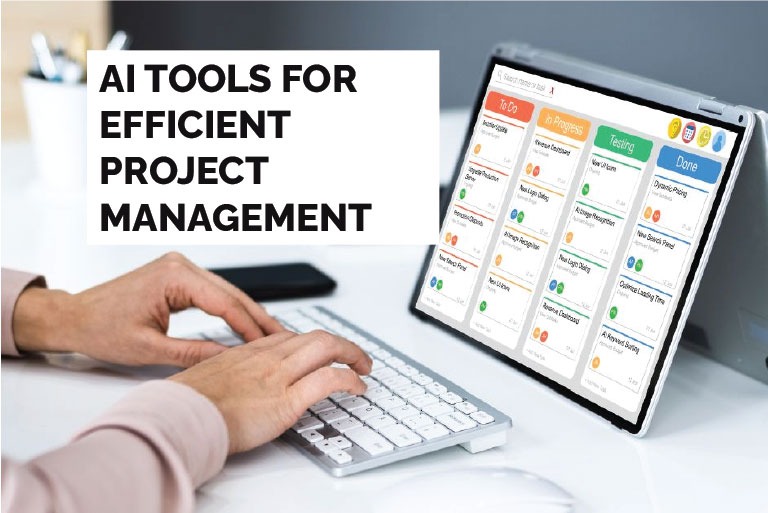
In the ever-evolving landscape of project management, staying ahead means embracing innovation. Artificial Intelligence (AI) has emerged as a pivotal force, revolutionizing how projects are planned, executed, and delivered. By automating mundane tasks, predicting potential risks, and enhancing team collaboration, AI tools are not just a luxury—they’re a necessity for modern project managers.
Why Integrate AI into Project Management?
- Automating Repetitive Tasks: Freeing up valuable time for strategic planning.
- Predicting Potential Risks: Allowing proactive mitigation strategies.
- Enhancing Collaboration: Facilitating seamless communication among team members.
- Optimizing Resource Allocation: Ensuring efficient use of available resources.
1. ClickUp
Overview: ClickUp is an all-in-one project management platform that integrates AI to automate workflows, manage tasks, and track progress.
- AI-driven task prioritization
- Real-time collaboration tools
- Customizable dashboards
Pricing: Offers both free and premium plans. The free plan includes essential features suitable for small teams, while the premium plans provide advanced functionalities for larger organizations.
Official Website: https://clickup.com
2. Asana
Overview: Asana is a widely-used project management tool that incorporates AI to streamline task management and improve team coordination.
- AI-assisted task assignments
- Timeline and calendar views
- Integration with various third-party applications
Pricing: Free basic plan available; premium plans offer additional features like advanced reporting and timeline views.
Official Website: https://asana.com
3. Trello
Overview: Trello utilizes AI to enhance its visual project management boards, making it easier to track tasks and deadlines.
- AI-powered card suggestions
- Automation of repetitive tasks
- Integration with other tools like Slack and Google Drive
Pricing: Free version with essential features; paid plans include advanced automation and integrations.
Official Website: https://trello.com
4. Wrike
Overview: Wrike is a versatile project management tool that leverages AI to optimize workflows and enhance team collaboration.
- AI-based workload balancing
- Real-time project tracking
- Customizable workflows
Pricing: Offers a free plan for small teams; paid plans include advanced features like time tracking and reporting.
Official Website: https://wrike.com
5. Notion
Overview: Notion combines note-taking and project management, using AI to organize information and tasks efficiently.
- AI-generated summaries
- Task and project templates
- Collaborative workspaces
Pricing: Free version available; premium plans offer additional features like version history and advanced permissions.
Official Website: https://notion.so
6. Monday.com
Overview: Monday.com is a work operating system that powers teams to run projects and workflows with confidence.
- AI-powered automation
- Visual project tracking
- Customizable workflows
Pricing: Offers a free plan; paid plans start at $8 per user/month.
Official Website: https://monday.com
7. Miro
Overview: Miro is an online collaborative whiteboarding platform that enables innovation and brainstorming with teams.
- AI-assisted brainstorming tools
- Real-time collaboration
- Integration with various applications
Pricing: Free plan available; paid plans start at $8 per user/month.
Official Website: https://miro.com
8. Teamwork
Overview: Teamwork is a collaborative work management platform that helps teams manage projects, tasks, and communications.
- AI-powered task management
- Time tracking and reporting
- Client portal for collaboration
Pricing: Offers a free plan; paid plans start at $10 per user/month.
Official Website: https://teamwork.com
9. Zoho Projects
Overview: Zoho Projects is a cloud-based project management software that helps teams plan, track, and collaborate on projects.
- AI-driven task automation
- Gantt charts for project tracking
- Integration with other Zoho applications
Pricing: Offers a free plan; paid plans start at $5 per user/month.
Official Website: https://zoho.com/projects
10. Basecamp
Overview: Basecamp is a real-time communication tool that helps teams stay on the same page.
- AI-assisted task management
- Real-time group chat
- File storage and sharing
Pricing: Offers a free plan; paid plans start at $99 per month for unlimited users.
Official Website: https://basecamp.com
How to Choose the Right AI Tool for Your Team
- Team Size: Some tools are better suited for small teams, while others are designed for large organizations.
- Project Complexity: Consider the complexity of your projects and choose a tool that can handle your specific needs.
- Budget: Evaluate the pricing plans and choose a tool that fits within your budget.
- Integration Needs: Ensure that the tool integrates seamlessly with other applications your team uses.
The Future of AI in Project Management
- Advanced Predictive Analytics: Enhancing the ability to foresee potential project risks and opportunities.
- Increased Automation: Further reducing the need for manual intervention in project tasks.
- Enhanced Collaboration Tools: Facilitating better communication and teamwork across distributed teams.
Conclusion
AI tools are revolutionizing project management by automating tasks, providing predictive insights, and enhancing collaboration. By integrating these tools into your workflow, you can improve efficiency, reduce risks, and achieve better project outcomes. Explore the options listed above and choose the one that best fits your team’s needs.
FAQs
Have questions? We’ve answered some of the most common queries to help you understand the topic better
1. What is AI in project management?
AI in project management refers to the use of artificial intelligence technologies to automate tasks, predict project risks, and enhance team collaboration, thereby improving project outcomes.
2. Are these AI tools free to use?
Many of the AI tools mentioned offer free plans with essential features. However, advanced functionalities may require a paid subscription.
3. How do I choose the right AI tool for my team?
Consider factors such as team size, project complexity, budget, and integration needs when selecting an AI tool for your team.
4. Can AI tools integrate with other applications?
Yes, many AI tools offer integrations with other applications such as Google Workspace, Microsoft 365, and Salesforce, allowing for seamless workflow automation.
5. Will AI replace project managers?
While AI can automate certain tasks, it is unlikely to replace project managers. Instead, AI serves as a tool to augment the capabilities of project managers, allowing them to focus on strategic decision-making and leadership.
Want To Grow Your Business - Connect With KTPL
KTPL – Business Growth Agency, a creative solutions and business growth agency from India.
👉 Visit https://kirnanitechnologies.com
📞 Call us at +91 95093 33000
📧 Email us at contact@kirnanitechnologies.com


