


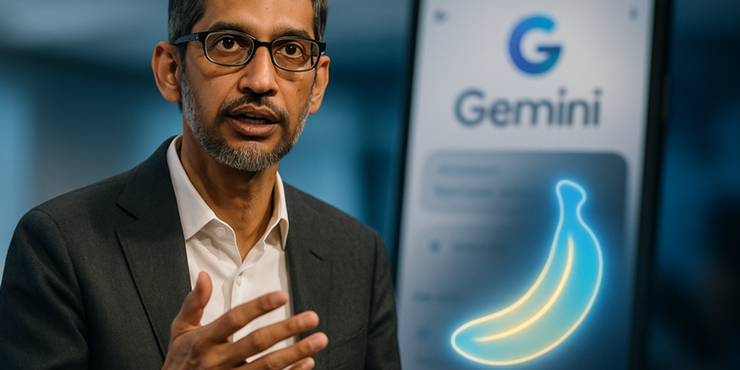
In the fast-moving world of AI tools, Google has once again grabbed everyone’s attention. Its Nano Banana model — the same viral image generator you’ve seen across social media — is now available inside the Gemini app and Google Lens AI mode.
This update has made AI photo editing faster, more realistic, and easier for everyday users. But what exactly is Nano Banana, and why is it making waves? Let’s explore how this model works, what it can do, and why it’s becoming the next big thing in creative image generation.
What Is Google’s Nano Banana AI Model?
Google’s Nano Banana is the fun nickname given to its advanced Gemini 2.5 Flash Image model — a smart AI that can edit and generate photos just by reading your text prompts.
It works inside the Gemini app and the Lens AI mode, allowing users to upload an image, describe the edit they want, and watch the AI bring it to life within seconds.
Imagine typing “make this a sunset beach photo” or “turn my picture into a movie poster,” and the AI instantly does it — that’s what Nano Banana is designed to do.
Between its funny name and powerful results, it’s easy to see why this model went viral.
Why Everyone’s Talking About Nano Banana
The buzz around Nano Banana AI isn’t just about funny memes or cool edits — it’s about what it means for the future of AI creativity.
Google’s update has made AI image editing and generation available to anyone using its Gemini or Lens tools. You no longer need advanced design skills or heavy photo-editing software. Everything happens right inside the Google app.
Let’s look at the main reasons it’s trending worldwide.
1. Easy Access Through Gemini and Lens AI Mode
Previously, Google’s AI tools were available only through developer platforms or limited demos. But now, anyone can open the Gemini app or Google Lens and start using the Nano Banana model.
That means millions of smartphone users can try AI photo editing instantly — no coding, no complex setup.
This accessibility is what pushed the model into the mainstream and helped it dominate app store charts worldwide.
2. Realistic and Consistent Edits
One of the most impressive features of Nano Banana is how consistent it is. Faces, expressions, and details stay natural even after multiple edits.
You can change a background, modify lighting, or add an object — and the person in the photo still looks like themselves.
This level of precision is rare even in professional photo-editing tools, and it’s what makes the Gemini AI model stand out among other image generators.
3. The Viral 3D Figurine Trend
If you’ve scrolled through social media lately, you’ve probably seen the “tiny figurine” trend — where people turn their selfies into miniature 3D-style characters.
That trend started with Nano Banana. The model can convert normal photos into highly detailed figurine-like images, creating a polished, collectible look.
This mix of creativity and humor helped the AI tool become a viral hit.
How the Nano Banana Model Works
AI image editing can sound complex, but Google’s model simplifies everything. Here’s how it works step by step — without the technical jargon.
1. Upload a Photo and Add a Prompt
- “Turn this into a professional headshot.”
- “Add a mountain background.”
- “Make it look like a painting.”
2. Smart Understanding and Image Transformation
Nano Banana uses multimodal AI, which means it understands both images and text together.
When you give a command, it maps the text with specific areas of the photo — ensuring the edits are logical and smooth. So when you ask to “add a hat,” it places it properly on the head, not floating in the air.
3. Real-Time Preview and Refinement
Once you see the result, you can ask for changes. Want softer lighting or a new style? Just re-prompt the AI.
This makes it ideal for creative users who want to generate, refine, and repeat until the perfect image is created.
Key Features of Google’s Nano Banana AI
- Prompt-based editing – Describe changes in plain text.
- Image generation and fusion – Combine multiple photos into one.
- Face consistency – Maintain accurate facial details.
- Smart blending – Edit local parts of an image without ruining others.
- Built-in watermarking – Google uses SynthID to mark AI-generated images for transparency.
Real-World Uses of the Nano Banana Model
People are finding creative ways to use this technology. From designers to small business owners, everyone can benefit from it.
For Creators and Designers
You can use Nano Banana to create concept art, storyboards, or styled social media visuals in seconds.
For Small Businesses
Brands are using it to generate product mockups, digital posters, and advertising visuals — all without hiring a designer.
For Everyday Users
Anyone can retouch old photos, experiment with fun edits, or simply explore AI art trends without any technical skills.
Benefits and Limitations of Nano Banana
Every technology has pros and cons, and Nano Banana is no exception.
Main Benefits
- Easy to use and beginner-friendly
- Fast processing with realistic results
- Works on mobile devices via Gemini app
- Reduces the need for traditional photo editors
Limitations
- Some prompts are misunderstood or ignored
- Overuse can lead to slightly distorted results
- Needs internet connectivity for processing
- Deepfake misuse risk if used irresponsibly
Still, the balance between usability and creativity makes it one of the best AI tools Google has ever released.
Nano Banana and the Future of AI Image Editing
This update shows Google’s ambition to make AI creativity mainstream. By combining Gemini’s brainpower with Nano Banana’s visuals, the company has made advanced editing accessible to everyone.
Experts believe this model is just the start — we may soon see AI video editing and AR filters powered by the same technology.
For now, the focus is on improving prompt accuracy, reducing errors, and giving creators more control over edits.
How to Try Google’s Nano Banana AI Yourself
- Download or open the Gemini app on your Android or iOS device.
- Go to the Lens / Image editing
- Upload a picture or click a new one.
- Enter your prompt (for example: “make it look cinematic”).
- Wait for a few seconds to see the AI result.
- Edit or refine as needed, then save or share.
That’s all you need to do — no complex tools, no design experience.
Final Thoughts
Google’s Nano Banana AI is more than just a viral trend — it’s a preview of the next phase in creative technology.
From casual users editing selfies to professionals creating digital art, this model shows how AI can simplify creativity.
With its smart integration into the Gemini app and Lens AI mode, Google has made AI image editing faster, simpler, and fun for everyone.
FAQs
Have questions? We’ve answered some of the most common queries to help you understand the topic better
1. What is Nano Banana AI in Google Gemini?
It’s Google’s latest image generation model that lets users edit or create photos using text prompts inside Gemini or Lens.
2. Is Nano Banana free to use?
Basic usage is free within the Gemini app, but professional or API access may require a subscription.
3. Can I use Nano Banana on my phone?
Yes, it’s available in the Gemini mobile app and works smoothly on most Android and iOS devices.
4. Does Google mark AI-generated images?
Yes. Every image includes a visible and invisible watermark using Google’s SynthID for transparency.
5. Why is it called “Nano Banana”?
It’s an internal code name that caught on after going viral on social media — simple, funny, and memorable.
Want To Grow Your Business - Connect With KTPL
KTPL – Business Growth Agency, a creative solutions and business growth agency from India.
👉 Visit https://kirnanitechnologies.com
📞 Call us at +91 95093 33000
📧 Email us at contact@kirnanitechnologies.com


