


In today’s digital-first world, having a website is not enough. If your site is invisible to search engines, you’re essentially handing your potential customers to competitors. Local businesses, in particular, face stiff competition, and a small SEO oversight can make your website almost impossible to find. For 2026, local SEO has evolved, and ignoring key ranking factors could harm your growth significantly.
This blog covers seven common SEO mistakes that silently kill your website SEO, along with actionable steps to fix them. Implementing these strategies can dramatically improve your visibility, attract more local traffic, and increase conversions.
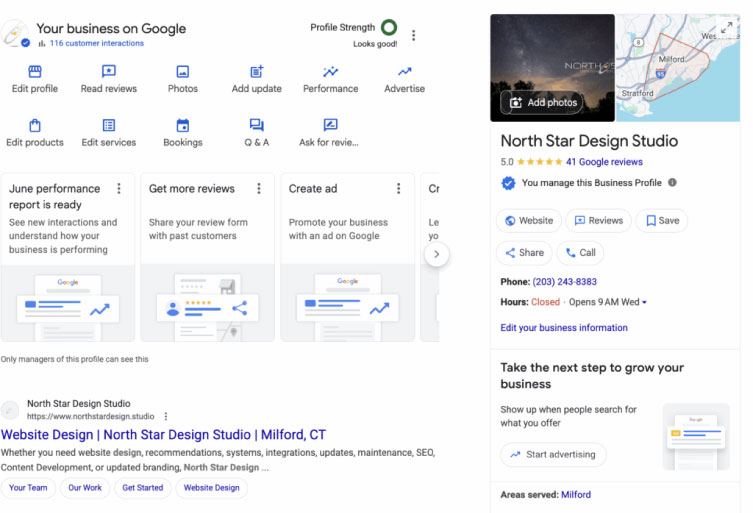
1. Ignoring or Mismanaging Your Google Business Profile (GBP)
Your Google Business Profile is the cornerstone of local SEO. If you haven’t claimed or verified your GBP, or if you neglect to update it regularly, your business may never appear in the “Local Pack”—the map-based listing shown at the top of Google search results.
Why It Matters
Google uses GBP data to connect users with nearby businesses. Without an accurate and optimized profile, your chances of appearing in location-specific searches drop drastically.
Common Mistakes:
- Not responding to customer reviews
- Missing business categories or descriptions
- Failing to upload photos or update operating hours
How to Fix It:
- Claim and verify your GBP immediately
- Add high-quality photos of your business, products, and services
- Respond promptly to reviews, whether positive or negative
- Keep business hours, contact details, and categories accurate
Pro Tip: Include your main service areas and optimize your business description with relevant keywords like “SEO services near me” or “local web design experts.”

2. Poor Mobile Optimization
With over 60% of searches coming from mobile devices, Google now prioritizes mobile-friendly websites through mobile-first indexing. A website that is hard to navigate on a smartphone or tablet, loads slowly, or displays intrusive pop-ups will see its rankings drop.
Key Issues to Check:
- Slow load speed (more than 2.5 seconds)
- Tiny text or clickable elements too close together
- Pop-ups or interstitials covering content
- Non-responsive design that breaks on smaller screens
How to Fix It:
- Use a responsive design framework
- Optimize images and videos for faster loading
- Reduce unnecessary code and plugins
- Test your website on multiple devices and browsers using tools like Google’s Mobile-Friendly Test
Insight: Mobile optimization isn’t just about ranking—it directly affects user experience. Visitors who struggle on mobile are more likely to bounce, hurting both engagement and SEO.

3. Ignoring Search Intent
Even if your website ranks for the right keywords, it might not satisfy the searcher’s intent. Local users often search with urgency, such as “best coffee shop near me” or “emergency plumbing services.” Creating content that doesn’t directly answer these queries results in high bounce rates.
Common Pitfalls:
- Using generic content that doesn’t address local needs
- Overloading pages with keywords without providing practical answers
- Ignoring questions your local audience commonly asks
How to Fix It:
- Research local search queries using tools like Google Search Console and AnswerThePublic
- Create content that addresses immediate needs—FAQs, “how-to” guides, and service descriptions
- Include “near me” and location-specific terms naturally in headings and body content
Pro Tip: Use schema markup to help Google understand the intent behind your pages, improving your chances of appearing in rich results.
4. Slow Website Speed
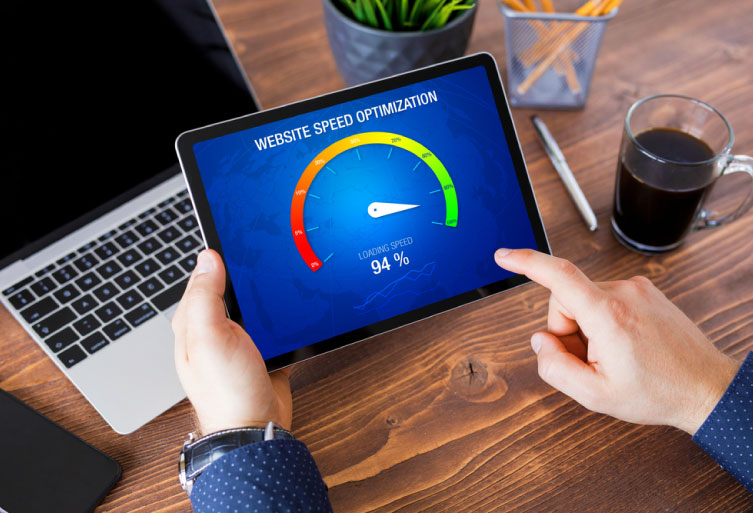
Speed is a ranking factor and a user experience factor. A slow website frustrates visitors and signals to Google that your site may not deliver quality content. Even a few seconds of delay can lead to lost traffic and lower rankings.
Common Causes of Slow Sites:
- Unoptimized images and videos
- Excessive JavaScript or CSS files
- Poor hosting or server performance
- Outdated plugins and themes
How to Fix It:
- Compress images and leverage modern formats like WebP
- Minimize CSS and JavaScript files
- Use caching and content delivery networks (CDNs) to enhance performance
- Conduct regular speed audits using Google PageSpeed Insights or GTmetrix
Fact: Studies show that 53% of mobile users leave a site that takes longer than 3 seconds to load. Optimizing for speed is non-negotiable for local SEO success in 2026.

5. Lack of Localized Content
Generic content won’t cut it for local SEO. Businesses that fail to create location-specific content miss out on opportunities to connect with nearby users. Without local context, Google may not rank your site for searches relevant to your service areas.
What Localized Content Includes:
- Dedicated landing pages for each location you serve
- Mentions of local landmarks, neighborhoods, and districts
- Blog posts addressing local events, community news, or customer stories
How to Fix It:
- Create separate service pages for each city or neighborhood you target
- Include location-specific keywords naturally in headings and body text
- Share case studies or testimonials from local clients
Example: A plumbing business could create a page for “Emergency Plumbing in Downtown Austin” and include references to local neighborhoods or popular locations.
6. Neglecting Quality Backlinks
Backlinks remain one of the most important ranking factors. Low-quality or spammy backlinks can hurt your authority rather than help it. For local SEO, the focus should be on building credible, local relationships.
Mistakes to Avoid:
- Purchasing links from unrelated websites
- Relying on directory listings without verification
- Ignoring opportunities to collaborate with local organizations
How to Fix It:
- Build relationships with local bloggers, media outlets, and businesses
- Join your city’s chamber of commerce or professional groups
- Request links from reputable local directories and partners
- Focus on quality over quantity—one authoritative link beats dozens of low-quality ones
Pro Tip: Regularly audit your backlinks and disavow harmful links to maintain trustworthiness.
7. Inconsistent NAP Data
NAP stands for Name, Address, and Phone number. Inconsistencies in NAP across your website, social profiles, and directories confuse Google, lowering your ranking potential and credibility.
Common Issues:
- Different phone numbers or addresses listed across platforms
- Misspellings or outdated information
- Missing location details on some service pages
How to Fix It:
- Audit your website and all local listings for consistency
- Use the exact format of your business name, address, and phone number everywhere
- Implement structured data (local schema markup) to reinforce your NAP to search engines
Tip: Even minor differences, like “Street” vs. “St.,” can impact your local rankings. Consistency builds trust with both users and search engines.
Bonus Tips for Improving Local SEO in 2026
- Implement Local Schema Markup: Structured data helps Google understand your business location and services.
- Encourage Customer Reviews: Positive reviews enhance credibility and improve your GBP ranking.
- Monitor Analytics: Track which pages and keywords drive local traffic and optimize underperforming pages.
- Optimize for Voice Search: Local voice searches are rising. Use conversational keywords like “Where can I find… near me?”
Conclusion
A website that ignores these seven common SEO mistakes risks being invisible to local customers. From optimizing your Google Business Profile to creating location-specific content, improving mobile usability, and building high-quality backlinks, every detail matters.
Fixing these issues will not only boost your website SEO but also strengthen your online presence, increase local traffic, and drive conversions. In 2026, local SEO is about precision, relevance, and user experience. Start auditing your site today and ensure your business is discoverable by those who matter most—your local customers.
By focusing on these actionable strategies, your website will no longer be invisible. It will become a local authority, a trusted brand, and a go-to solution for your community.
FAQs
Have questions? We’ve answered some of the most common queries to help you understand the topic better
Q1. How quickly can I see results after fixing SEO mistakes?
Local SEO improvements often take 2–3 months to reflect in search rankings. Consistency and monitoring are key.
Q2. Can a poorly optimized Google Business Profile harm my rankings?
Yes, an incomplete or unverified profile can prevent your business from appearing in the Local Pack.
Q3. How important is mobile optimization for local SEO?
Extremely important. Google uses mobile-first indexing, and most local searches happen on mobile devices.
Q4. Should I focus more on backlinks or content?
Both are crucial. High-quality content attracts links, and authoritative backlinks boost your site’s credibility.
Q5. What tools can help with local SEO auditing?
Google Search Console, Moz Local, SEMrush, and Google’s PageSpeed Insights are excellent starting points.
Want To Grow Your Business - Connect With KTPL
KTPL – Business Growth Agency, a creative solutions and business growth agency from India.
👉 Visit https://kirnanitechnologies.com
📞 Call us at +91 95093 33000
📧 Email us at contact@kirnanitechnologies.com


