


Technology is changing how people learn, develop software, manage information, and complete everyday tasks. From coding assistants and research platforms to voice typing and workflow automation, AI Tools are helping technology enthusiasts work more efficiently and explore new possibilities. Developers can use them to understand complicated code, students can simplify difficult subjects, and businesses can reduce repetitive tasks. However, with so many applications available, choosing the right tools requires an understanding of their features, practical benefits, and limitations. The best approach is to select AI Tools according to your actual requirements rather than adopting every new application. Some tools are designed for general assistance, while others focus on programming, research, machine learning, or automation. This guide from KTPL – Business Growth Agency explores essential tools, their practical uses, and how to choose the right solutions for your workflow.
What Are AI Tools and Why Are They Useful?
AI Tools are software applications that use artificial intelligence to assist with tasks such as understanding language, generating content, analysing information, writing code, and automating repetitive activities. They can help users organise ideas, investigate technical problems, summarise documents, and complete certain tasks more efficiently. For example, a developer can ask an AI assistant to explain an unfamiliar function, while a student can use a research tool to organise information from technical documents. Businesses can also apply AI-powered software to prepare reports, manage information, and connect different applications. These tools are most valuable when they solve real problems and support human judgement rather than replace it. Learning how to select and use AI Tools responsibly can help technology enthusiasts improve productivity while maintaining control over the quality of their work.
Best AI Tools for Productivity, Coding, and Research
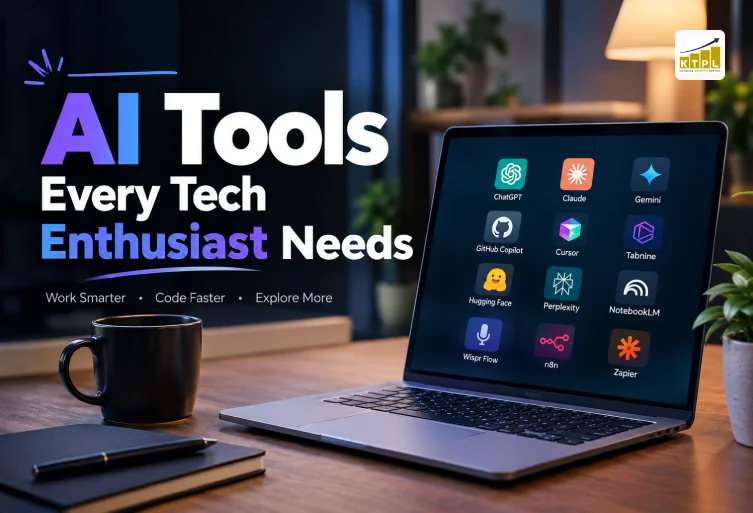
Choosing the right AI Tools begins with understanding the type of work you want to improve. General assistants, coding platforms, and research applications serve different purposes, although their capabilities sometimes overlap. Using a small combination of complementary tools can help you manage everyday tasks without paying for unnecessary subscriptions. It is worth testing each tool on a real task before making it part of your regular workflow. ChatGPT is a versatile assistant for brainstorming, writing, learning, coding explanations, and supported file analysis. Developers can use it to understand errors, explore programming approaches, draft documentation, and create initial test cases. Claude is another option for detailed discussions, lengthy documents, complex programming questions, and structured writing. Google Gemini supports a variety of text, image, research, and coding tasks, with some features connected to Google’s ecosystem. Although these assistants have overlapping uses, their results, integrations, and available features differ. Comparing them against your actual needs is more useful than assuming one assistant is best for every situation. For software development, GitHub Copilot, Cursor, and Tabnine offer coding assistance that can help developers write code, explore solutions, and reduce repetitive work. Depending on the product and configuration, these tools can provide code suggestions, explain existing functions, and assist with tests or code changes. They can benefit experienced developers working on routine programming tasks as well as beginners learning how different coding concepts fit together. However, generated code should always be reviewed for security vulnerabilities, incorrect logic, unnecessary dependencies, and compatibility with the existing project. Developers should run appropriate tests before deploying changes and confirm that suggestions follow their project’s requirements. The aim is to improve development efficiency without compromising software quality or security. Technology enthusiasts interested in machine learning can explore Hugging Face, a platform offering models, datasets, development resources, and interactive demonstrations. It provides opportunities to learn about natural language processing, image analysis, audio applications, and other machine learning tasks. Beginners can experiment with existing models, while experienced developers can investigate how suitable models might be integrated into their own applications. Before using a model in a commercial project, review its licence, documentation, intended use, limitations, and resource requirements. A model that performs well in a demonstration may not produce equally reliable results with unfamiliar real-world data. Careful testing and evaluation are essential when moving from experimentation to practical implementation. Research-focused AI Tools can make it easier to discover information and organise technical knowledge. Perplexity helps users explore questions and locate sources for further investigation, making it useful for researching software, comparing technologies, and learning about new developments. NotebookLM offers a different approach by helping users work with supplied source materials, including supported documents and reference files. It can be useful for summarising technical manuals, reviewing research papers, and organising information from several documents. Perplexity is helpful for discovering information across the web, while NotebookLM is particularly useful when the work centres on a selected collection of sources. In both cases, users should check original references before relying on important facts, technical specifications, or conclusions.
AI Tools for Automation and Everyday Workflow Management
Productivity is not only about completing individual tasks faster; it is also about reducing repetitive work between applications. Voice typing and workflow automation can help technology enthusiasts spend less time on routine activities and more time on planning, problem-solving, and creative work. The most useful solution depends on whether your biggest challenge is entering information, managing tasks, or connecting different systems. Wispr Flow is a voice-dictation tool that converts spoken words into text within supported applications. It can help users draft messages, capture ideas, prepare documentation, and record task descriptions without typing every word manually. Developers might use voice typing to create a first draft of a bug report or explain a feature requirement before editing the text. However, transcription can misinterpret technical terms, code identifiers, and product names, so reviewing the result remains important. Before using voice-dictation software for professional work, check its supported platforms, privacy settings, and data-handling policies. Avoid dictating confidential information unless the service and your organisation’s policies permit it. For more complex processes, n8n and Zapier help connect supported applications and automate multi-step workflows. A business, for example, could create a workflow that receives a customer enquiry, organises the submitted details, creates a task, and notifies the appropriate team member. Depending on the available integrations and configuration, these platforms can also connect APIs, transform data, and include AI-powered steps. Zapier is often considered for accessible connections between business applications, while n8n offers options that may appeal to users seeking greater control over workflow logic and deployment. The best choice depends on your technical experience, required integrations, budget, and deployment preferences. Start automation with a small, low-risk task and test what happens when information is missing, an API fails, or a process runs more than once. Workflows that modify records, send external messages, or handle confidential data need suitable permissions, monitoring, and safeguards. AI-generated information should also be checked before it triggers important business actions. By planning and testing carefully, automation platforms can reduce manual work while making recurring processes more consistent. Combining automation with appropriate AI Tools can be particularly useful for businesses that manage repeated administrative or information-processing tasks.
How to Choose the Right AI Tools for Your Needs
The best AI Tools depend on your daily activities, budget, technical experience, privacy requirements, and existing software. Developers may benefit most from comparing coding assistants, while researchers might prioritise source discovery and document analysis. People who regularly transfer information between applications may find workflow automation more valuable than another general-purpose assistant. Begin by identifying one task that takes too much time and testing a suitable tool against your existing process. Evaluate whether it improves the quality of your work, reduces effort, integrates with your applications, and requires fewer corrections. Testing tools against real requirements provides a more reliable basis for choosing than popularity or promotional claims. Cost is another important consideration because free access, usage limits, paid features, and business plans vary between providers and may change over time. Check official pricing pages before subscribing and consider whether the additional features justify the expense. Privacy should receive equal attention, particularly when tools may process customer information, internal documents, or proprietary source code. Review the provider’s policies and confirm that the service meets your organisation’s requirements before sharing sensitive information. You should also consider supported devices, available integrations, accessibility, and the time needed to learn the software. A small collection of complementary tools is often easier to manage than numerous overlapping subscriptions.
Best Practices for Using AI Tools Effectively
Getting useful results from AI Tools requires clear instructions, relevant context, and careful review. Explain the task, provide the necessary background, specify the preferred format, and mention any technical requirements. For coding tasks, include the programming language, framework, expected behaviour, and relevant error message rather than asking for a vague solution. For research, request supporting sources and verify important statements against official documentation or original publications. For automation, test each stage with sample data and confirm that unexpected outputs cannot trigger unwanted actions. These practices improve the usefulness of AI assistance while keeping responsibility for the final result with the person using the tool. Security and accuracy should remain priorities throughout the process. Avoid sharing passwords, confidential customer records, or sensitive business information unless the service is approved for that data and relevant policies allow its use. Review generated code for vulnerabilities, check written content for factual errors, and ensure automated workflows have appropriate access permissions. It is also helpful to compare the time and effort required before and after adopting a tool to determine whether it genuinely improves productivity. AI systems can produce convincing but incomplete, outdated, or incorrect answers, so important decisions should not rely on unverified outputs. With sensible safeguards and regular evaluation, AI Tools can support more efficient work without compromising quality or privacy.
Conclusion
AI Tools offer practical ways to improve coding, research, learning, communication, and workflow automation. ChatGPT, Claude, and Google Gemini provide general assistance, while GitHub Copilot, Cursor, and Tabnine support programming tasks. Hugging Face helps users explore machine learning, Perplexity and NotebookLM support research, Wispr Flow offers voice typing, and n8n and Zapier help automate repetitive processes. The right combination depends on your goals, working habits, budget, and technical requirements. Start with one or two tools that solve a genuine problem, evaluate their results, and expand your setup only when there is a clear benefit. Always protect sensitive information, verify important outputs, and test automated actions before using them in professional workflows. KTPL – Business Growth Agency encourages technology enthusiasts and businesses to adopt practical digital solutions that support better work, improve productivity, and contribute to long-term growth.
FAQs
Have questions? We’ve answered some of the most common queries to help you understand the topic better.
Q1. What are the best AI Tools for tech enthusiasts?
ChatGPT, Claude, Gemini, GitHub Copilot, Cursor, Perplexity, and NotebookLM are useful options for different tasks.
Q2. Are AI Tools free to use?
Many offer free plans or limited access, while advanced features may require paid subscriptions.
Q3. Which AI Tools are best for coding?
GitHub Copilot, Cursor, and Tabnine provide coding assistance, while ChatGPT can explain programming concepts.
Q4. Can AI Tools replace developers?
No. They can assist with tasks, but human expertise, testing, and security reviews remain essential.
Q5. How can I use AI Tools safely?
Protect sensitive information, verify results, review permissions, and test generated code and workflows.
Want To Grow Your Business - Connect With KTPL
KTPL – Business Growth Agency, a creative solutions and business growth agency from India.
👉 Visit https://kirnanitechnologies.com
📞 Call us at +91 95093 33000
📧 Email us at contact@kirnanitechnologies.com


