


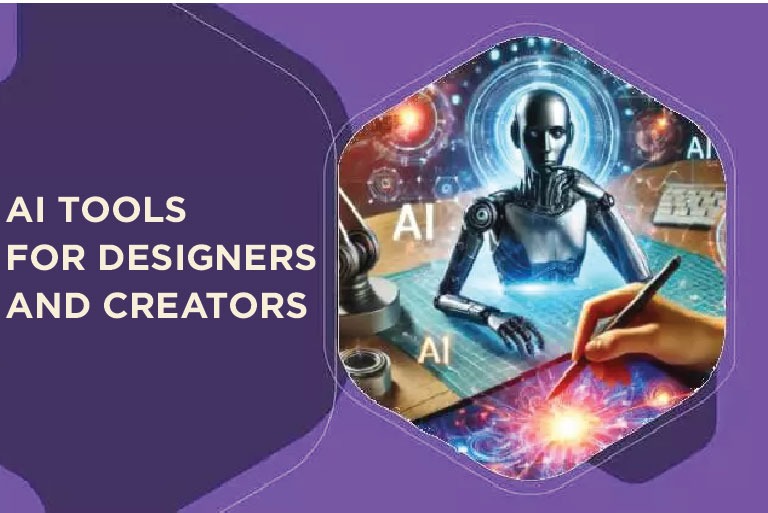
The Rise of AI Tools in the Creative Industry
Artificial Intelligence has become the designer’s new creative partner. Whether you’re a graphic designer, UI/UX expert, or content creator, AI tools now streamline your work, spark ideas, and enhance productivity.
AI doesn’t replace creativity — it amplifies human imagination by automating repetitive design work and offering new creative perspectives.
Let’s explore some of the most powerful AI tools for designers and creators that are transforming how professionals design and innovate in 2025.
Why Designers and Creators Should Use AI Tools
AI tools are reshaping the way we approach design and content creation. They not only save time but also unlock new levels of creativity that manual processes often limit.
Before diving into the top tools, let’s understand how AI adds real value to creative work.
1. Speed and Efficiency
AI tools handle time-consuming tasks like background removal, color correction, resizing, and layout suggestions in seconds. This allows designers to focus more on the concept rather than the process.
2. Creative Assistance
Stuck in a creative block? AI-powered tools can generate endless design ideas, color palettes, and mood variations. This keeps your creativity flowing effortlessly.
3. Consistency and Brand Alignment
For brands, maintaining a consistent look across designs is critical. AI ensures that color tones, typography, and design language stay aligned with brand guidelines.
Top AI Tools for Designers and Creators in 2025
Let’s explore the best AI design tools — their features, how to use them, whether they’re free or paid, and what makes each unique.
These tools are handpicked for their practicality, accessibility, and creative power.
1. Canva Magic Studio
Official Website: https://www.canva.com/magic-design
Overview: Canva Magic Studio is a complete design suite that simplifies everything from social media graphics to presentations and videos. It’s ideal for beginners and professionals alike.
How It Works: Type a text prompt, and Canva’s Magic Design automatically generates layouts, styles, and color palettes. You can refine or mix designs instantly.
Pricing: Free plan available; Pro features start at $12.99/month.
Why Use It: Great for quick content creation, social media visuals, and brand mockups.
2. Adobe Firefly
Official Website: https://www.adobe.com/sensei/generative-ai/firefly.html
Overview: Firefly integrates AI inside Adobe Photoshop and Illustrator to create realistic images, edit backgrounds, and fill missing sections seamlessly.
How It Works: Just describe what you want using natural language. Firefly will generate or modify images accordingly inside your Adobe workspace.
Pricing: Included in Adobe Creative Cloud subscription.
Why Use It: Perfect for professionals who already use Adobe tools and need smart generative assistance.
3. Designs.ai
Official Website: https://designs.ai
Overview: Designs.ai is a multi-purpose AI platform offering logo design, image creation, video editing, and even voiceovers.
How It Works: Choose your tool, input your brand name and style preferences, and AI generates visuals, videos, or marketing materials instantly.
Pricing: Free trial available; paid plans start from $19/month.
Why Use It: Ideal for freelancers and startups who need all-in-one design automation.
4. Uizard
Official Website: https://uizard.io
Overview: Uizard allows users to transform sketches or text prompts into complete digital interfaces. It’s a must-have for UX/UI designers.
How It Works: Upload a rough wireframe or type a description — Uizard automatically generates a polished design layout ready for prototyping.
Pricing: Free plan with basic features; Pro starts at $12/month.
Why Use It: Best for app and website interface designers looking to speed up prototyping.
5. AutoDraw
Official Website: https://www.autodraw.com
Overview: Developed by Google, AutoDraw turns rough sketches into clean digital illustrations using AI.
How It Works: Draw a shape, and AutoDraw suggests refined illustrations you can instantly use.
Pricing: 100% free.
Why Use It: Great for educators, quick illustrations, and non-designers creating icons or infographics.
6. Runway ML
Official Website: https://runwayml.com
Overview: Runway ML focuses on AI-powered video editing. It allows background removal, motion tracking, and creative video effects—all with simple commands.
How It Works: Upload your clip, use AI tools to isolate objects or edit scenes, and export your final video.
Pricing: Free plan available; paid plans from $12/month.
Why Use It: Excellent for video creators and social media marketers looking to automate editing.
7. Looka
Official Website: https://looka.com
Overview: Looka is an AI logo maker that generates unique brand identities based on your company name and preferences.
How It Works: Enter your business name, choose colors and styles, and AI presents multiple logo options for download.
Pricing: One-time payment per logo.
Why Use It: Ideal for entrepreneurs launching new brands or rebranding projects quickly.
8. Midjourney
Official Website: https://www.midjourney.com
Overview: Midjourney generates high-quality art and design visuals from text prompts using advanced AI models.
How It Works: Access via Discord, enter your prompt, and AI will generate stunning visuals in seconds.
Pricing: Paid plans only, starting at $10/month.
Why Use It: Great for conceptual artists, graphic designers, and illustrators.
9. DALL•E 3
Official Website: https://openai.com/dall-e-3
Overview: Created by OpenAI, DALL·E 3 converts textual ideas into detailed visuals, ideal for ads, concept art, and illustrations.
How It Works: Enter a descriptive prompt, and DALL·E 3 generates photo-realistic images you can modify or upscale.
Pricing: Free with limited credits on ChatGPT Plus; paid plans available.
Why Use It: Great for designers who want creative images without hiring photographers.
10. Khroma
Official Website: https://khroma.co
Overview: Khroma helps designers discover perfect color combinations using machine learning trained on your favorite palettes.
How It Works: Pick your favorite colors, and Khroma generates unlimited palettes tailored to your taste.
Pricing: Free.
Why Use It: A must-have for color-obsessed designers and branding experts.
Choosing the Right AI Tool for Your Needs
Selecting the right AI tool depends on your creative goals. If you’re into branding, try Looka or Canva. For advanced video editing, Runway ML excels. For illustration and artwork, Midjourney and DALL·E 3 shine.
Always start with free trials before committing to a subscription.
Benefits of Using AI Tools for Designers
AI tools enhance productivity, spark new ideas, and ensure design consistency. They save time, reduce creative fatigue, and make professional-grade design accessible to everyone — even without formal design training.
Conclusion
AI tools have become essential companions for designers and creators, offering speed, inspiration, and smarter workflows. From graphic design to web development and video editing, these tools open endless creative possibilities.
So, if you want to work smarter, design faster, and create beautifully, it’s time to explore these AI tools for designers and creators today.
FAQs
Have questions? We’ve answered some of the most common queries to help you understand the topic better
1. Are AI tools replacing human designers?
No. AI tools assist designers by automating repetitive tasks but cannot replace human creativity and strategy.
2. Which AI design tool is best for beginners?
Canva Magic Studio is the most user-friendly for beginners, offering drag-and-drop simplicity with AI magic.
3. Are these AI tools free or paid?
Most tools offer free versions with limited features and paid plans for advanced capabilities.
4. Can AI help in UI/UX design?
Yes, tools like Uizard and Figma’s AI assist in creating wireframes, layouts, and interactive prototypes quickly.
5. How to choose the best AI tool for my design workflow?
Start with your design goal, test a few tools, and choose one that fits your workflow and offers the best output quality.
Want To Grow Your Business - Connect With KTPL
KTPL – Business Growth Agency, a creative solutions and business growth agency from India.
👉 Visit https://kirnanitechnologies.com
📞 Call us at +91 95093 33000
📧 Email us at contact@kirnanitechnologies.com


