


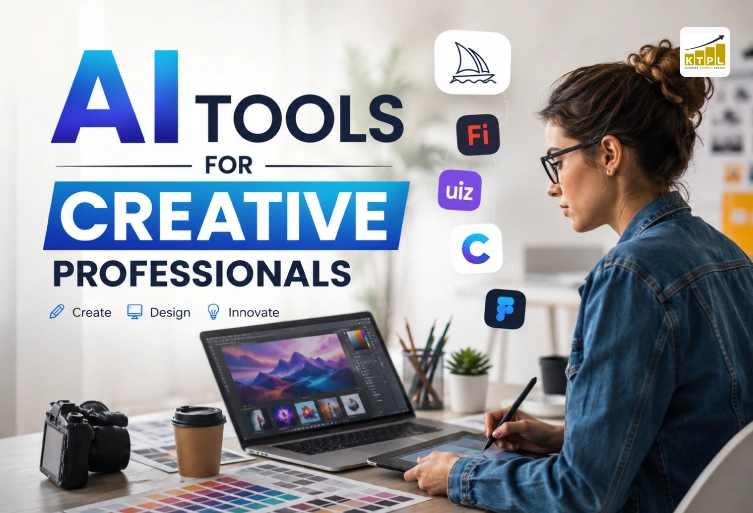
The creative industry has transformed significantly over the past few years, and technology continues to play a major role in that evolution. Whether you’re a graphic designer, UI/UX expert, content creator, video editor, illustrator, marketer, or web designer, using the right AI Tool can help you complete projects faster while maintaining quality. Instead of replacing creativity, these intelligent tools enhance human ideas by automating repetitive tasks and providing fresh inspiration. Today’s creative professionals are expected to deliver high-quality work within shorter deadlines. Clients demand visually appealing designs, engaging content, responsive websites, and compelling marketing campaigns. Managing all these responsibilities manually can be challenging. This is where AI-powered solutions become valuable partners that improve productivity without compromising originality. From generating digital artwork to designing user interfaces and editing videos, modern AI tools support almost every stage of the creative workflow. They reduce manual effort, simplify brainstorming, improve collaboration, and help professionals focus on innovation instead of repetitive work. In this guide, we’ll explore the best AI tools for creative professionals, their benefits, practical use cases, and how they can help freelancers, agencies, startups, and businesses achieve better results.
What is an AI Tool?
An AI Tool is software powered by artificial intelligence that assists users in performing creative or technical tasks more efficiently. These tools analyze patterns, understand prompts, automate repetitive work, and generate new ideas based on user input. Instead of replacing creative thinking, they accelerate workflows and eliminate time-consuming processes. Creative professionals use AI tools for graphic design, website development, content writing, image generation, branding, logo creation, animation, video editing, and digital marketing. Many platforms also include collaboration features, allowing teams to work faster and maintain consistent quality across projects. As artificial intelligence continues to evolve, these tools are becoming more accurate, easier to use, and accessible to professionals of all experience levels.
Why Creative Professionals Are Using AI Tools
The demand for faster project delivery has encouraged designers, marketers, and creators to adopt AI-powered solutions. Instead of spending hours on repetitive editing, resizing images, generating layouts, or brainstorming ideas, professionals can complete these tasks in minutes using an AI Tool. AI also helps improve consistency across projects. Businesses require branding elements, website designs, marketing graphics, and social media content that maintain a unified style. AI-powered platforms assist in creating reusable templates, suggesting color combinations, improving typography, and generating high-quality visuals quickly. Freelancers benefit by handling multiple client projects simultaneously, while agencies improve productivity without significantly increasing operational costs. This allows creative teams to dedicate more time to strategy, innovation, and client communication.
Best AI Tools for Creative Professionals
Several AI platforms have become industry favorites because of their reliability, ease of use, and impressive capabilities. Midjourney is one of the leading AI image generators that transforms simple text prompts into highly detailed digital artwork. Designers use it for concept art, branding inspiration, advertising visuals, and creative illustrations. Adobe Firefly offers commercial-safe image generation, generative fill, text effects, and advanced editing features. Since it integrates seamlessly with Adobe Creative Cloud, it is ideal for professional designers working on commercial projects. Recraft specializes in producing scalable vector graphics, illustrations, icons, and brand assets. It is particularly useful for logo designers and branding agencies. Uizard converts hand-drawn sketches or text descriptions into interactive UI designs and wireframes, making it popular among UI/UX designers and web development teams. Framer AI enables users to create responsive websites using simple prompts. Designers can quickly generate layouts, landing pages, and website prototypes without extensive coding. Canva Magic Studio simplifies graphic design by automating background removal, content generation, layout improvements, and image editing. It is widely used by marketers, social media managers, and small businesses. These AI tools significantly reduce production time while helping professionals maintain creative quality and consistency.
Benefits of Using AI Tools in Creative Work
One of the biggest advantages of using an AI Tool is increased productivity. Tasks that previously required several hours can now be completed in a fraction of the time. Designers can generate multiple concepts instantly, writers can organize ideas faster, and marketers can produce engaging visuals more efficiently. AI also improves collaboration between creative teams. Designers, developers, content creators, and clients can review concepts earlier in the workflow, resulting in quicker approvals and fewer revisions. Cost savings are another major benefit. Businesses no longer need separate software for every design task because many AI platforms combine image editing, content generation, website design, and branding features within one solution. Additionally, AI tools help professionals overcome creative blocks by generating fresh ideas, design variations, and alternative layouts whenever inspiration runs low.
How AI Tools Improve Different Creative Industries
The impact of an AI Tool extends far beyond graphic design. Today, professionals across multiple creative industries are using AI to simplify workflows, improve efficiency, and produce higher-quality work. Web designers can quickly create responsive layouts, developers can generate basic code snippets, marketers can build engaging campaigns, and content creators can brainstorm fresh ideas in minutes. AI also helps photographers with image enhancement, video editors with automated editing, and branding experts with logo concepts and color palette suggestions. Instead of replacing creative skills, these tools remove repetitive tasks so professionals can focus on innovation, storytelling, and delivering exceptional results. Businesses that embrace AI-powered workflows often complete projects faster, improve client satisfaction, and stay ahead of competitors in a rapidly evolving digital landscape.
How to Choose the Right AI Tool for Your Work
Selecting the right AI Tool depends on your profession, project requirements, budget, and workflow. Designers who frequently create digital artwork may benefit from image-generation platforms, while UI/UX professionals should consider tools that specialize in wireframes and interface design. Marketing teams often require platforms that combine content creation, social media graphics, and presentation design in one place. It is also important to evaluate ease of use, collaboration features, export options, software integrations, and commercial licensing before making a decision. Testing free versions or trial plans allows professionals to understand whether a tool fits their creative process. Choosing the right platform ensures better productivity without disrupting existing workflows.
Tips to Get Better Results from AI Tools
Using an AI Tool effectively requires more than simply entering a prompt. Clear instructions, detailed descriptions, and well-defined objectives produce significantly better results than vague requests. Creative professionals should experiment with different prompts, refine generated outputs, and combine AI-generated ideas with their own expertise. Maintaining brand consistency, reviewing every generated asset carefully, and making manual improvements are equally important. AI should be viewed as a creative assistant rather than a complete replacement for human judgment. The best outcomes come from combining technology with professional experience, design knowledge, and creativity.
Common Mistakes to Avoid While Using AI Tools
Although every modern AI Tool offers impressive capabilities, relying entirely on automation can reduce originality and quality. One common mistake is publishing AI-generated content or designs without reviewing accuracy, branding, or copyright considerations. Another issue is using generic prompts, which often produce repetitive or low-quality results. Professionals should also avoid ignoring brand guidelines, accessibility standards, and user experience principles when creating visual content. Overusing AI-generated elements without customization may make projects appear less authentic. Regular editing, fact-checking, and adding personal creativity ensure the final output remains unique and valuable.
The Future of AI Tools for Creative Professionals
Artificial intelligence continues to evolve rapidly, making every new AI Tool smarter, faster, and more capable than previous generations. Future advancements will likely include real-time collaboration, improved personalization, multilingual content generation, advanced video production, intelligent design systems, and seamless integration across creative software. Businesses will increasingly rely on AI to streamline operations while maintaining high-quality creative output. However, human imagination, emotional understanding, and strategic thinking will remain essential. Professionals who learn to combine their expertise with AI-powered technologies will be better prepared for future opportunities and changing market demands.
Why Businesses Should Combine AI with Human Creativity
Successful creative projects are built on originality, strategic thinking, and understanding customer needs. While an AI Tool can generate ideas, layouts, graphics, and content quickly, it cannot fully replace human creativity, storytelling, or emotional intelligence. Businesses achieve the best results when AI handles repetitive tasks while experienced professionals focus on branding, customer experience, innovation, and quality control. This balanced approach improves efficiency without sacrificing authenticity. Agencies like KTPL – Business Growth Agency help businesses combine modern technology with proven digital marketing strategies to create impactful online experiences that drive measurable growth.
Conclusion
An AI Tool has become an essential part of the modern creative workflow, helping designers, marketers, developers, and content creators complete projects more efficiently while maintaining high standards of quality. Whether you’re designing websites, creating digital artwork, editing videos, or building marketing campaigns, the right AI-powered solution can save valuable time and inspire new ideas. The key is to use AI responsibly—treat it as a creative assistant rather than a replacement for human expertise. By selecting the right tools, refining their output, and adding your own creativity, you can produce unique, engaging, and professional work that delivers better results for both clients and businesses.
FAQs
Have questions? We’ve answered some of the most common queries to help you understand the topic better.
Q1. What is an AI Tool?
An AI Tool is software that uses artificial intelligence to automate tasks such as content creation, image generation, design, coding, and workflow management, helping professionals work more efficiently.
Q2. Which AI Tool is best for graphic designers?
Popular options include Midjourney for digital art, Adobe Firefly for commercial design assets, Canva Magic Studio for quick graphics, and Recraft for vector illustrations.
Q3. Can AI tools replace creative professionals?
No. AI supports creativity by automating repetitive tasks, but human imagination, strategy, communication, and decision-making remain essential for producing high-quality creative work.
Q4. Are AI tools suitable for freelancers and small businesses?
Yes. Many AI tools offer affordable plans that help freelancers, startups, and small businesses improve productivity, reduce costs, and deliver projects faster.
Q5. How can businesses use AI tools effectively?
Businesses should combine AI-generated ideas with human expertise, review all outputs carefully, maintain brand consistency, and use AI to enhance—not replace—their creative process.
Want To Grow Your Business - Connect With KTPL
KTPL – Business Growth Agency, a creative solutions and business growth agency from India.
👉 Visit https://kirnanitechnologies.com
📞 Call us at +91 95093 33000
📧 Email us at contact@kirnanitechnologies.com


