


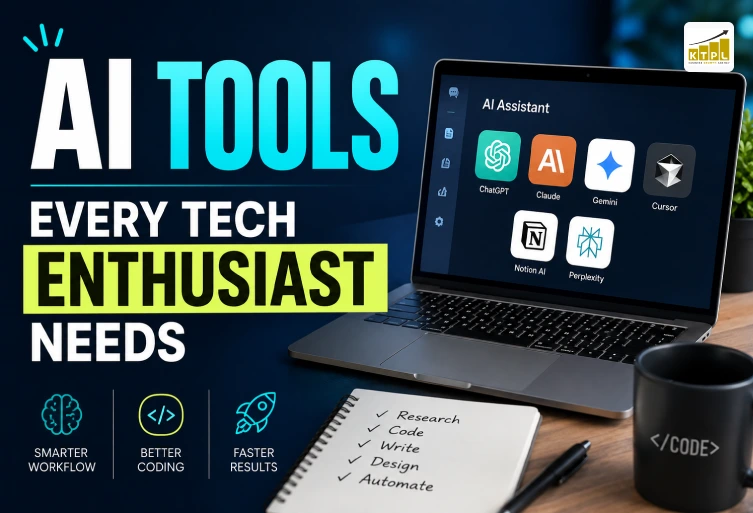
Artificial intelligence is no longer limited to research labs or large technology companies. Today, AI tools are being used by developers, designers, content creators, marketers, students and business owners to complete everyday digital tasks faster and more efficiently. From writing and coding to research, productivity and video creation, the right AI tool can reduce repetitive work while giving users more time to focus on creative and strategic decisions. The important part is not using every new AI platform that appears, but understanding which tools are genuinely useful for your work. This guide covers some of the most practical AI tools that tech enthusiasts can add to their daily workflow.
Why AI Tools Matter for Tech Enthusiasts
Tech enthusiasts are constantly learning, testing new software and working across different digital environments, which makes productivity an important part of their workflow. AI tools can help simplify many of these activities by assisting with research, writing, programming, brainstorming, documentation and content production. Instead of spending a large amount of time searching for information or completing repetitive tasks manually, users can work with AI to create a starting point and then improve the result with their own knowledge. This is especially helpful when a project involves several stages, such as researching a technology, planning a website, writing content and preparing promotional material. The real advantage of artificial intelligence comes from using it as an assistant rather than treating it as a replacement for human expertise. A developer can use AI to understand an unfamiliar piece of code but should still test the final implementation. A writer can use AI to organize research but should add original insights and verify important information. Similarly, a business can use AI to generate marketing ideas while relying on professionals to develop the final strategy. This combination of automation, human judgment and creativity makes AI productivity tools valuable for modern digital workflows.
ChatGPT, Gemini and Claude for Everyday Work
General-purpose AI assistants are among the most useful AI tools because they can support many different tasks from one interface. ChatGPT can help with brainstorming, writing, coding, explanations, research and file-based tasks, making it suitable for users who frequently switch between technical and creative work. Gemini is useful for users who work with multimodal information and the broader Google ecosystem, while Claude is often useful for detailed writing, reasoning, document work and programming discussions. Rather than asking which platform is universally the best, tech enthusiasts should consider which assistant performs better for their particular type of work. These tools become much more effective when users provide detailed context. For example, instead of asking an AI assistant to “write website content,” you can provide the target audience, business information, keywords, tone and page objective. Developers can provide the relevant programming language, error message and expected behavior before asking for possible solutions. This approach produces more useful results and reduces the amount of editing required. General-purpose AI assistants are therefore best viewed as flexible productivity partners that can support multiple stages of a project without taking responsibility away from the user.
AI Coding Tools for Developers
Software development is one of the areas where AI can provide significant productivity improvements. AI coding tools can help developers understand unfamiliar code, generate repetitive sections, suggest implementations, explain errors, create documentation and explore different solutions. Cursor, for example, is built around an AI-assisted coding environment, allowing developers to work with AI while remaining inside their development workflow. This can reduce the need to repeatedly move between a code editor and an external chatbot, especially when working on larger projects. However, AI-assisted programming still requires strong technical oversight. Generated code can contain bugs, inefficient logic, outdated approaches or security vulnerabilities, so developers should review and test everything before using it in production. AI is most valuable when it removes repetitive effort and helps developers investigate problems faster, while architecture, security and final implementation decisions remain under human control. For students and junior developers, these tools can also support learning when they are used to explain why a solution works instead of simply copying generated code.
AI Tools for Research and Knowledge Management
Research can become time-consuming when information is spread across PDFs, reports, websites, videos and other documents. This is where source-focused AI tools can provide a practical advantage. Google’s NotebookLM, for example, allows users to work with selected sources and ask questions based on those materials. It supports various source formats and is designed to help users understand and organize information from their own research material. For tech enthusiasts, this can be useful when learning a new technology, studying documentation or comparing information from several reports. Instead of repeatedly searching through long documents, users can organize relevant material and investigate it through questions and summaries. Students can use a similar approach for study resources, while professionals can organize research related to products, industries or projects. The quality of the result still depends on the quality of the sources, so important information should always be checked against the original material.
AI Tools for Voice, Productivity and Faster Ideas
Not every productivity problem involves writing or coding. Sometimes the biggest challenge is capturing an idea quickly before it disappears. Voice-based AI tools can turn spoken thoughts into organized text, notes or prompts, making them useful for people who frequently brainstorm, attend meetings or work away from their computers. Instead of stopping to type every detail, users can speak naturally and later transform the rough information into a structured document or task list. This type of workflow can be particularly useful for content creators, developers and business owners. A developer could describe a feature idea verbally and later turn it into a development brief. A content creator could dictate several article ideas and organize them into a content calendar. A business owner could record meeting notes and use AI to turn them into action points. When combined with other AI productivity tools, voice-based workflows can reduce small delays that accumulate throughout the working day.
AI Tools for Content Creation and Digital Marketing
Content creation is another major area where artificial intelligence can improve productivity. Modern AI tools can assist with topic research, brainstorming, content outlines, editing, social media ideas, email drafts and content repurposing. Instead of creating every piece of content independently, marketers can use one research project to develop an article, social media posts, video ideas, FAQs and other supporting content. This creates a more efficient publishing workflow while allowing human writers and marketers to focus on originality, accuracy and brand communication. For businesses, AI should support the marketing process rather than become the entire strategy. Generic AI-generated content can easily become repetitive, so businesses need original examples, accurate information and a clear understanding of their audience. This is particularly important for SEO because useful content should satisfy search intent rather than simply repeat a keyword. A professional digital strategy combines AI-assisted productivity with human research, editing, creativity and marketing experience.
AI Video Tools and the Rise of Generative Media
Video production is changing rapidly as generative AI becomes capable of helping creators develop visual concepts and video scenes. Google’s Flow is an example of this direction, with Google describing it as an AI filmmaking tool built around models including Veo, Imagen and Gemini. Such platforms give creators new ways to experiment with scenes, visual concepts and storytelling without beginning every project with a traditional production setup. For marketers and businesses, AI video tools can be useful for developing promotional concepts, social media content, advertisements and visual experiments. However, good video still requires a strong idea, appropriate storytelling and thoughtful editing. AI can accelerate production, but it does not automatically understand a company’s audience, brand personality or marketing objective. The best results come when technology handles time-consuming creative experimentation while people remain responsible for the message and final quality.
AI and the Modern Digital Business
AI is becoming increasingly valuable beyond individual productivity because businesses can use it across websites, branding, marketing, content and customer communication. A company can use AI to research audiences, generate campaign ideas, organize content, analyze information and improve internal workflows. When these activities are connected to a professional digital strategy, AI can help businesses respond faster while maintaining a consistent online presence. This is where KTPL – Business Growth Agency can complement technology-driven workflows. KTPL works across website design, branding, digital marketing and social media services, helping businesses turn digital ideas into professional customer-facing experiences. Businesses can explore the KTPL website to learn more about its digital services and growth-focused solutions. AI can accelerate research and idea generation, but professional strategy, design and implementation remain important for creating a website and brand that customers can trust.
Building a Simple AI Toolkit
You do not need dozens of applications to benefit from artificial intelligence. A practical AI toolkit can begin with one general-purpose assistant for everyday tasks, one coding tool if you develop software, one research platform for document-heavy work and specialized creative tools when your projects require images or video. The goal should be to create a workflow where every tool has a clear purpose rather than collecting applications simply because they are trending. Start by identifying the tasks that consume the most time in your normal routine. If coding is the biggest challenge, prioritize AI coding tools. If research takes most of your time, consider source-based research platforms. Content creators may need a combination of writing, research and video tools, while business owners may benefit from productivity and marketing solutions. By selecting technology according to real needs, you can create a smaller and more effective AI toolkit that improves your workflow without making it unnecessarily complicated.
How to Choose the Right AI Tools
Choosing the right AI tools is more important than simply using a large number of them. Every tool should solve a specific problem, save meaningful time or improve the quality of your work. Before adopting a new platform, consider what you actually need it for, whether it integrates with your existing workflow, how accurate its output is and whether its pricing makes sense for your usage. Developers may prioritize coding assistance, while content creators may need writing and video capabilities. Business owners may focus more on marketing, research and productivity. A tool that is popular online may still be unnecessary if it does not solve a problem you regularly face. It is also important to consider privacy, reliability and ease of use before adding an AI application to a professional workflow. Avoid sharing confidential business information, passwords or sensitive customer data unless you understand how the service handles that information. AI-generated answers should also be reviewed, particularly when they involve technical decisions, business information or factual claims. The best approach is to test a tool on a small project first and measure whether it genuinely improves your workflow. This prevents you from collecting too many overlapping applications and helps you build a practical set of AI productivity tools that you can actually use.
Using AI Tools for Business and Digital Growth
Businesses can use AI tools for much more than writing content. Artificial intelligence can support market research, campaign planning, customer communication, website content, social media ideas, data organization and repetitive administrative work. A small business owner, for example, can use AI to turn rough ideas into a structured marketing plan, organize frequently asked customer questions or prepare an initial content calendar. These applications can save valuable time, particularly for businesses that do not have large internal teams handling every digital task. However, AI should work alongside a proper business strategy rather than replace it. A successful website still needs professional design, clear messaging, strong user experience and search-friendly content. Marketing campaigns require an understanding of the audience, competitors and business objectives. This is where KTPL – Business Growth Agency can help businesses connect technology with professional digital execution through website design, branding, digital marketing and social media services. You can explore the official KTPL website to learn more about its digital solutions and services.
A Simple AI Workflow for Tech Enthusiasts
A useful AI workflow does not have to be complicated. Start with research and define exactly what you want to accomplish before opening an AI application. Use a general-purpose assistant for brainstorming and planning, a source-based tool when you need to understand specific documents, and specialized AI tools for developers, content creators or designers when the project requires technical or creative production. Once the initial output is created, review it carefully and make the necessary changes based on your own knowledge and requirements. For example, a developer might research a new framework, discuss the concept with an AI assistant, use an AI coding environment to build an initial implementation and then test the code manually. A content creator could research a subject, develop an outline, create a first draft and then improve it with original examples and expert insights. This approach keeps AI involved throughout the workflow without allowing it to make every decision. Over time, you can identify which tools consistently save time and remove those that do not provide enough value.
Best Practices for Getting Better Results from AI
The quality of an AI response depends heavily on the information and instructions provided by the user. A short and unclear prompt often produces a generic result, while a detailed request containing the audience, objective, context, format and limitations usually provides a much stronger starting point. This is particularly important for professional work where the final output needs to follow specific requirements. Instead of asking an AI tool to “create a marketing plan,” explain the business, target customers, available channels, goals and expected format. You should also treat the first response as a starting point rather than a finished product. Ask follow-up questions, correct inaccurate assumptions and provide additional information when necessary. For technical tasks, test generated code; for research, verify important claims; and for marketing content, make sure the message matches your brand. These habits make AI tools much more useful because they turn a simple automated response into an interactive working process. Human judgment remains the most important quality-control layer in an AI-assisted workflow.
The Future of AI Tools
The future of artificial intelligence will likely focus increasingly on connected workflows instead of isolated applications. Instead of using one platform for writing, another for research and another for development without any connection between them, users will increasingly expect AI to understand the wider context of their projects. A developer may move from research to coding with AI assistance, while a marketing team may connect research, content creation, social media and campaign analysis into one workflow. This will make AI more useful for people who understand how to combine different technologies effectively. For tech enthusiasts, this means that learning how to use AI responsibly will become an important digital skill. The most valuable users will not necessarily be those who subscribe to the largest number of platforms. They will be the people who understand which AI tools are suitable for particular problems and how to combine them with human expertise. Creativity, critical thinking, technical knowledge and fact-checking will continue to matter even as AI becomes more capable. The goal should be smarter work, not simply more automation.
Final Thoughts
The growing range of AI tools gives technology enthusiasts more ways to learn, create, build and work efficiently. General-purpose assistants such as ChatGPT, Gemini and Claude can support everyday tasks, while coding environments such as Cursor can help developers work more efficiently. Research platforms such as NotebookLM can simplify source-based information gathering, while generative video platforms such as Google’s Flow and Veo are opening new possibilities for visual content creation. The smartest approach is not to use every new AI application that becomes popular. Instead, identify the tasks that take the most time, choose tools that address those specific challenges and build a workflow around them. Always review important information, protect confidential data and use your own expertise to improve the final result. For businesses, AI is becoming another component of a broader digital strategy. When combined with professional website development, branding, digital marketing and social media management, it can help companies work more efficiently while building a stronger online presence. KTPL – Business Growth Agency can support that digital journey with professional services designed around business growth and online visibility. The future of technology is not simply about having access to more powerful AI tools. It is about knowing how to use them intelligently, efficiently and responsibly. The right combination of artificial intelligence and human expertise can turn everyday digital tasks into faster, smarter and more productive workflows.
FAQs
Have questions? We’ve answered some of the most common queries to help you understand the topic better.
Q1. What are AI tools?
AI tools are software applications that use artificial intelligence to help with tasks like coding, writing, research, design and productivity.
Q2. Which AI tools are best for developers?
ChatGPT, Claude, Gemini and Cursor are useful AI tools for coding, debugging, research and software development.
Q3. Can AI tools improve productivity?
Yes, AI tools can reduce repetitive work, speed up research and help users complete everyday digital tasks more efficiently.
Q4. Are AI tools useful for businesses?
Yes. Businesses can use AI tools for content creation, marketing, research, customer communication and workflow automation.
Q5. Can AI tools replace human professionals?
AI tools can automate many tasks, but human expertise, creativity, decision-making and quality control are still essential.
Want To Grow Your Business - Connect With KTPL
KTPL – Business Growth Agency, a creative solutions and business growth agency from India.
👉 Visit https://kirnanitechnologies.com
📞 Call us at +91 95093 33000
📧 Email us at contact@kirnanitechnologies.com


